Votre CMS Framer, enfin cherchable.
Framer n’a pas de recherche. Si votre CMS dépasse 10 éléments, vos visiteurs ne trouvent rien. Ce plugin ajoute une barre de recherche à n’importe quelle page collection en moins de 2 minutes.
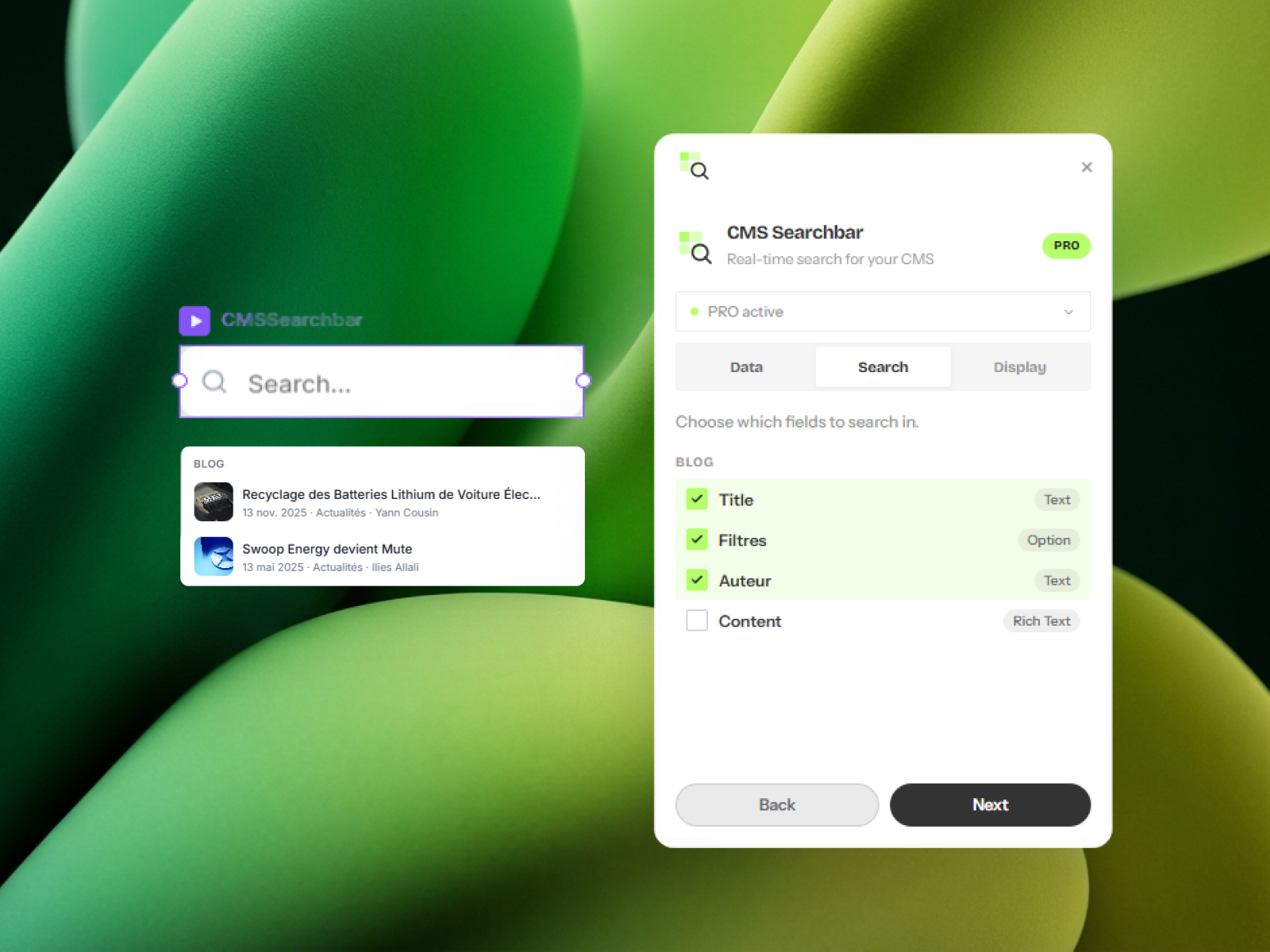
Comment ça marche
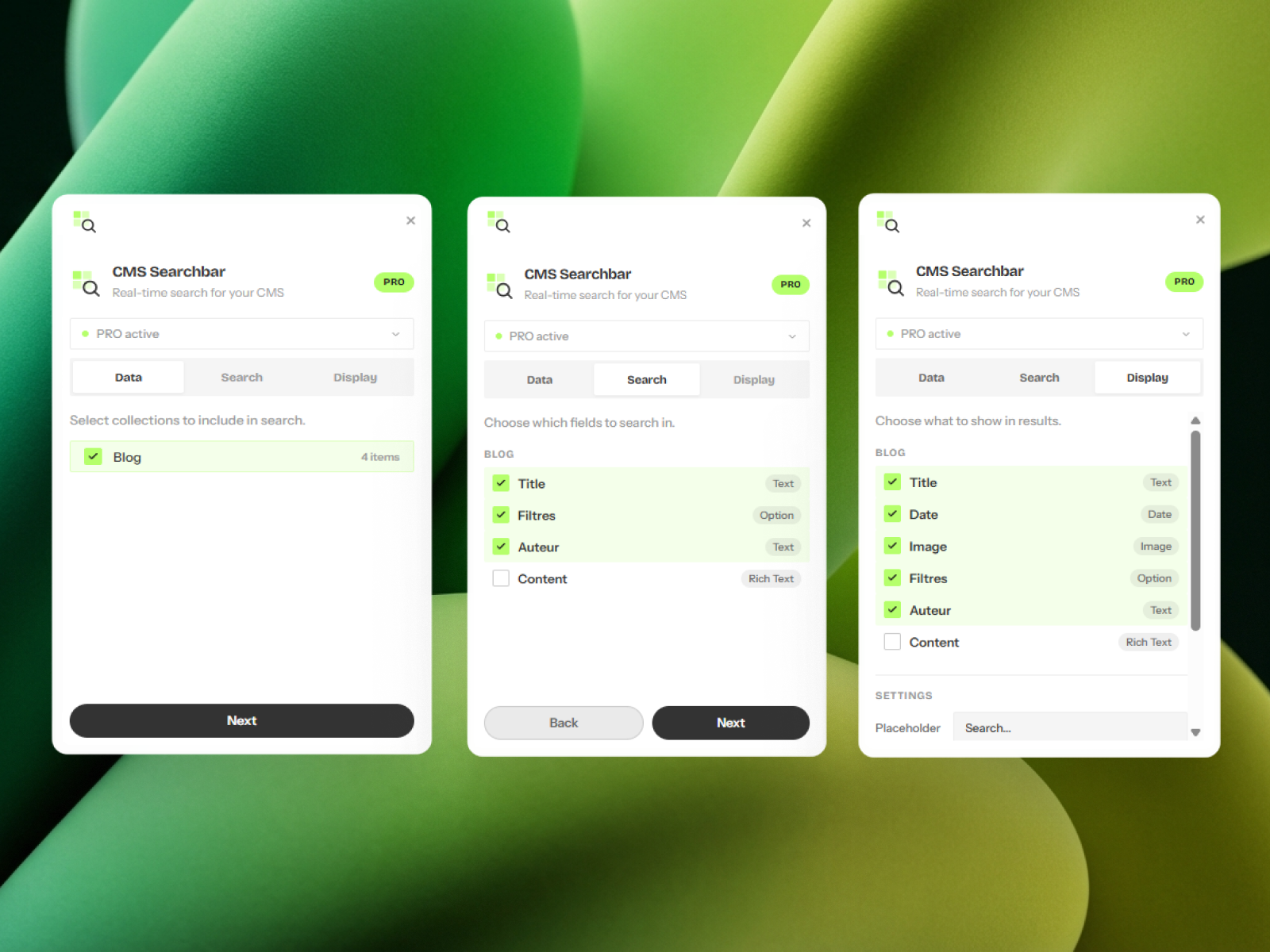
Trois étapes dans Framer. C’est tout.
Sélectionnez les collections CMS à inclure. Articles de blog, projets, produits. Ou les trois en même temps avec Pro.
Indiquez au plugin quels champs chercher (titre, contenu, tags) et lesquels afficher dans les résultats (miniature, date, catégorie).
Le plugin génère un composant Framer natif. Glissez-le n’importe où sur le canvas. Adaptez le style à votre design.
Pourquoi ça marche
Tout tourne dans le navigateur. Rien à maintenir.
L’index de recherche vit directement dans le composant. Pas d’appel API, pas de latence, aucune dépendance externe. Résultats en moins de 20ms.
Vos visiteurs peuvent filtrer par tag, catégorie ou n’importe quel champ énuméré de votre CMS. Un clic pour passer de 50 articles à 5.
Texte placeholder, état vide, nombre max de résultats, mise en page des cartes. Tout est configurable avant génération. Pas de CSS après.
Flèches pour parcourir, Entrée pour naviguer, Échap pour fermer. L’accessibilité dès le départ, pas rajoutée après coup.
Tarifs
Commencez gratuitement. Un seul paiement pour le reste.
Gratuit
Sans carte. Sans expiration.
- 1 collection CMS
- Filtres par tags
- Jusqu’à 3 résultats affichés
- Personnalisation basique des champs
Pro
Une fois. Toutes les mises à jour incluses.
- Collections illimitées
- Résultats illimités
- Recherche multi-champs
- Personnalisation complète de l’affichage
- Support prioritaire
Ajoutez la recherche à votre site Framer en 2 minutes.
Gratuit pour 1 collection. Pro pour illimité, €19 une fois.
Installer CMS Searchbar gratuitement ↗